Creating animated web content is sort of like making animations for other stuff. For those of you who don’t know, animation is basically a method where figures are manipulated to create the illusion of movement. There is both 2D and 3D animation, and in the world of web designing you can technically do both.
From what I’ve read Toonboom is one of the top ten animation software’s for “animation” but personally I use Photoshop for manipulating pictures.
The timeline
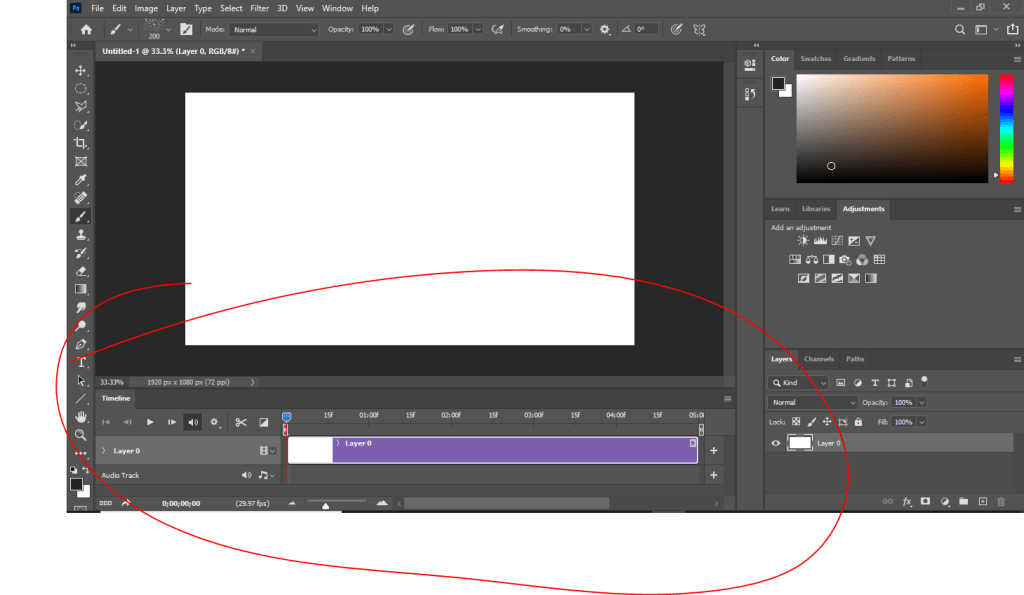
This is the video timeline you will see
In every animation software, or movie making software in general, there will be a timeline showing you what will happen in the “movie”.
If you saw my post on: how to make a gif (not JIFF) then this should be no surprise to see this. The only difference here is exporting as an .mp4 than as a .gif.
pivot points
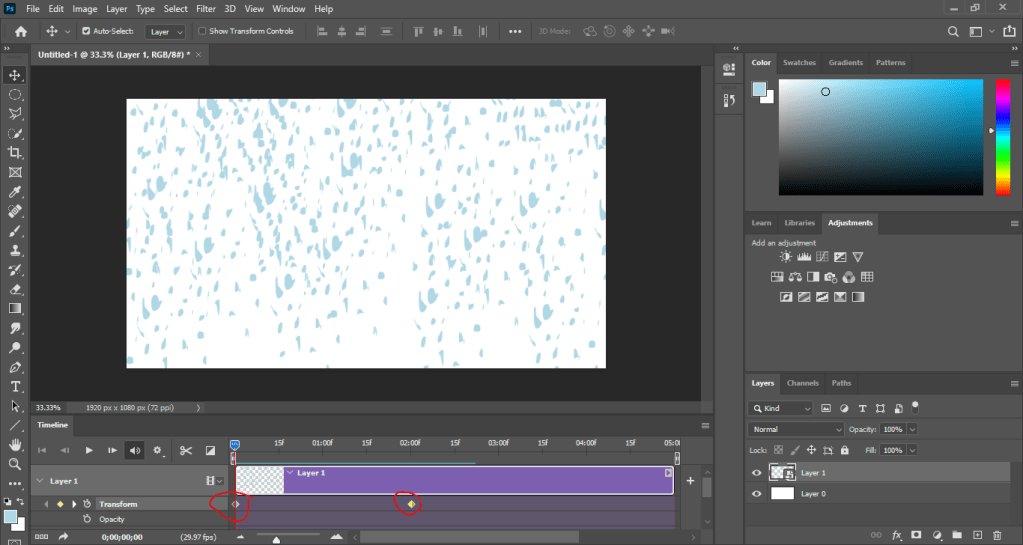
In the timeline I’ve added transformation pivot points to this animation so that it starts from one way and finishes on another. For this I made “rain drops” on one point and then I transformed them to look like they’re falling on the end point.
Final result
Now photoshop is a program you can use for animation but there is adobe animate that you can also use, which is specifically for animation as you can tell by the title of the program but you can also use it for html coding. Which is how most designers make there web banners for ads.
But don’t just take my word for it, try to use these programs yourself, and see what you can make.
Animated web banners are media used to advertise and promote your company or a product you’re selling. You probably seen stuff like this
The ad that looks kinda like a flag
on some website you were on. Their job is to get you to go to the company site and check out their products. Kinda like tiny commercials that aren’t in your face.
From hartthedetctive.blogspot.com
This ad for example looks like a good ad to promote a car dealer. The Text changes, the cars lights flash and the information is on it.
ad by freelancer.ca
This ad has appropriate colors to show case the type of shoes you’re trying to promote; like reds, ans pinks and shinys. The words even change color as well.
ad by wordstream.com
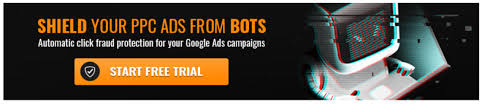
This ad looks like something from a show right? Unlike the other ones, this one isn’t animated. It not being animated isn’t the end of the world for it will still look good but it would look more “catching” if it was moving.
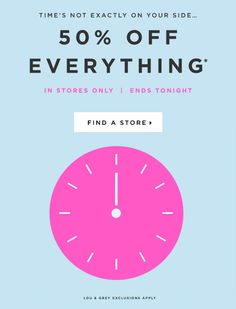
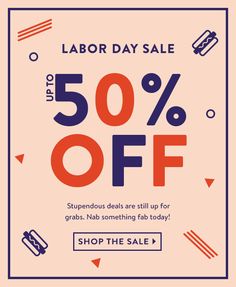
This ad you can tell is a labor day promotion due to the labor day message and the big “fifty percent off” in alternating colors. And the red is the right amount of contrast just so you can see it.
There’s a job posted on indeed for a Digital experience designer. The pay like most other jobs I’ve explained before is about $72,000 a year, and requires 3/5 years of mobile/web design experience preferably for an agency, possess strong creative problem solving skills and of course you need to be proficient in adobe software including knowledge of HTML, CSS, and Javascript.
Now you know what ad banners are and what nice ones look like. So lets get out there and show the world wide web your advertisements. Just remember not to use comic sans or the internet will shun you, and your employer will in fact yell at you.
Want to design a professional website? Then come on down to NOT wix.com and instead use wordpress. Why should you use wordpress and not wix? Simple, it’s FREE!
Hold on there’s more.
THE Content Management System
Word press is one of the most popular CMS’s (content management system) in the world, 26.8 percent of the world wide web runs on wordpress. Few reasons include it’s cost, what it runs on, it’s usability, and much others.
The cost: It’s free! Well the basic stuff is. The more advance stuff does cost an amount, but you can still make something nice without paying for anything.
It’s accessible on all platforms: This site utilizes HTML, CSS and Javascript. Basically whatever a website needs to keep functioning.
It’s usability: It’s more simpler to use. When you use it for the first time you’re obviously not going to understand everything in the site has to offer because you’re just starting off and you need to use it for a while before you get an idea of how it works. And lets also face it, you’ll never understand anything everything you try for the first time, so GOOGLE IT.
Jobs for wordpress
So what jobs can you get as a designer using wordpress? There are a few, but right now let’s talk about one of them.
According to this post on indeed there is an opportunity as a web designer. Your job is to create wireframes, storyboards, promote design guidelines, best standards and practices. It’s a full time job and it pays $45,000 – $50,000 per year; with 401k, parental leave, flexible scheduling, paid time off, and health benefits. So of course it’s a great job to get.
If you want to pay someone to build a website you might pay between $100 – $500 to $3,000 to even $30,000 depending on the site that you want make because “bigger” sites depend on more resources and resources are not cheap at all.
So this is why you should be using wordpress and not wix or squarespace or anything like that to design websites. As a matter of fact I’m actually using wordpress right now to write this article. Now go make a website; and remember, this article is NOT sponsored by wix.com or squarespace.
A little thing to note about designing web pages is that (like everything else we’ve discussed) the’re a few elements to keep note of. Which is that each web page consists of code and what you should and shouldn’t put in it.
Combining css/js files. Rather than just making your browser retrieve multiple files try combining your files into one larger file. This might seem tricky but it’s necessary for effective load times.
Only load what’s necessary. Self explanatory, don’t load what isn’t necessary.
That’s basically all you need for that.
Media to use
For web designing you need to know what type of media you are putting in.
JPEG:A jpeg is an image on a site. Though it’s more compressed so some of the data is lost. Which is good for reducing the load on your web pages.
PNG: Also images on the internet but unlike JPEGs they don’t lose their data, and dont lose transparency. However they are still bigger than JPEGs in data do they might still take a toll on websites.
GIF: A GIF (NOT PRONOUNCED JIFF) is an animated media like a little video. These take up more space because they are made of multiple frames, so therefore are made of more data.
You can use either of these for your web sites depending on what you want to do with it, so long as you know how much your site can take.
I may not know what exactly it is that you’re trying to do, but what I can say for certain is that if you want to make a more responsive site, then it is best to keep the data down to a minimum to reduce the workload. I do encourage making your site reach its fullest potential but that’s about it, “It’s fullest potential” might be the only thing that can do you good.
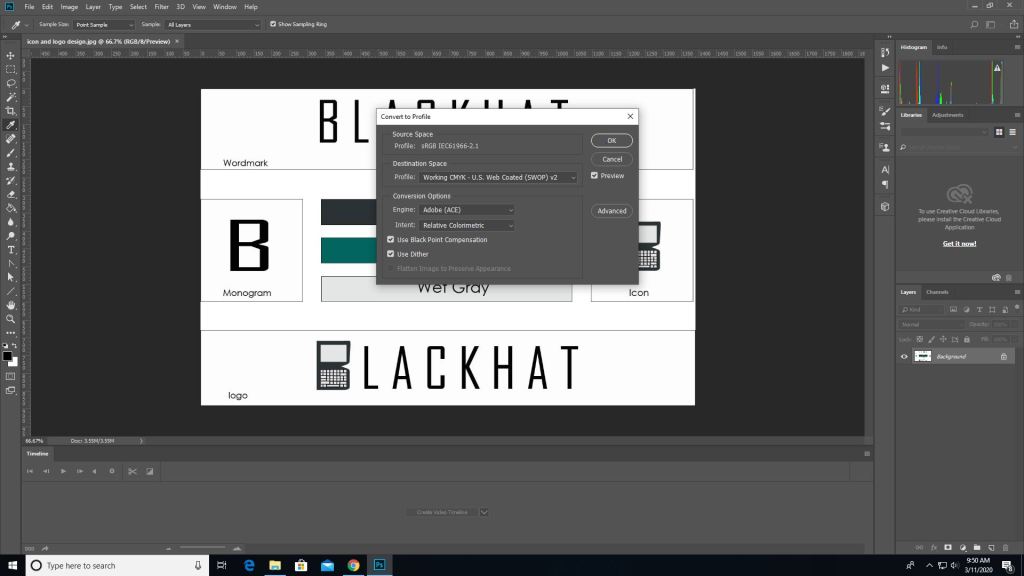
As we’ve went over before when printing anything, the color mode for print is CMYK and not RGB. Some programs can do this for you when you go straight to printing and you can set it to CMYK from there. But here’s how you do it before hand.
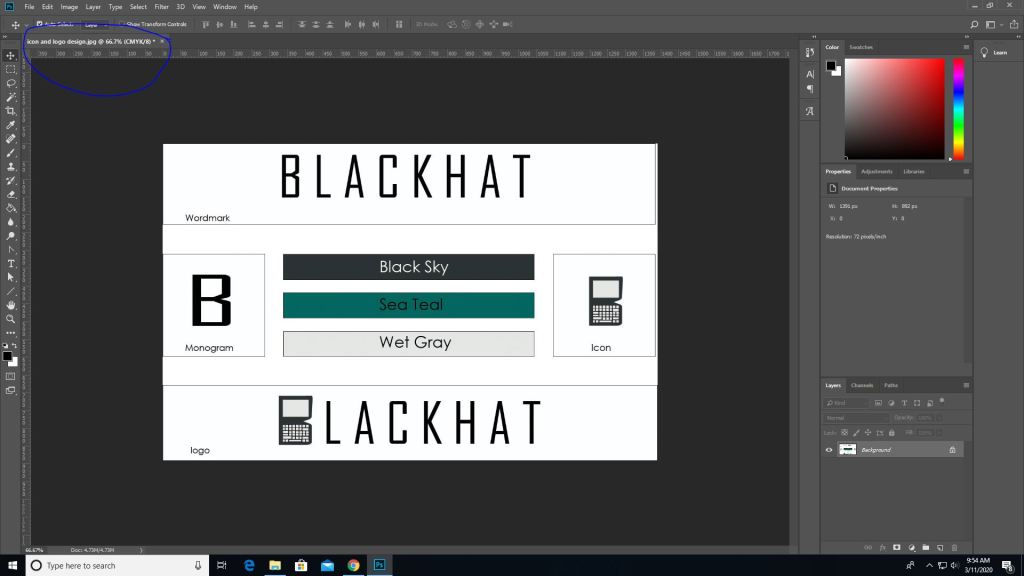
First you pull up an image on photoshop.
Then you go into edit -> convert to profile color then it will give you the option to change it to CMYK automatically depending on the printer you use.
Then as you can see the color mode changed from RGB to CMYK.
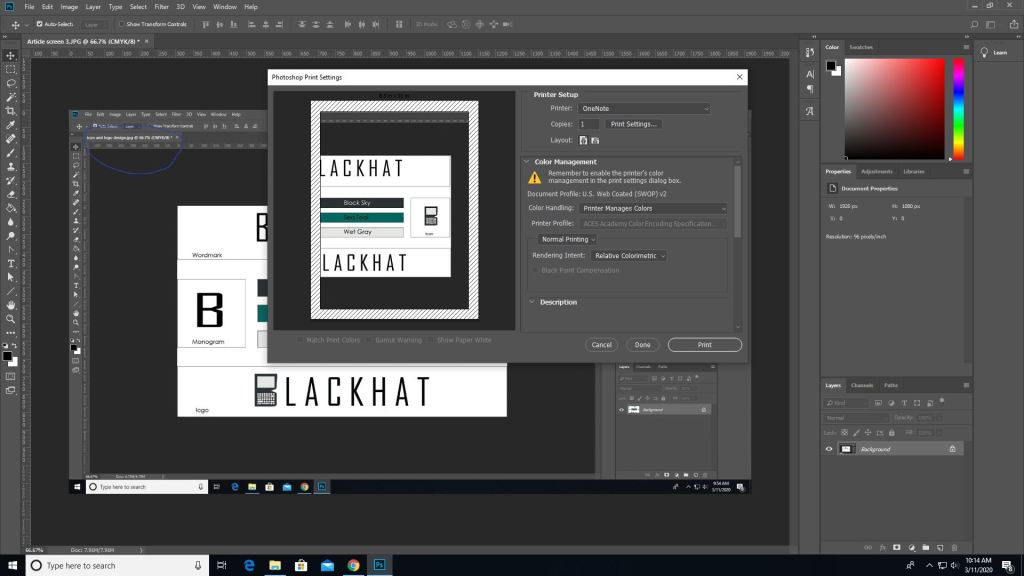
(This picture was made after converting the last image which is why the blue circle looks duller, product of converting) To print go to the file tab-> print, and you’ll see all these options. Where it says document profile it should say web coated (which is basically CMYK). Once you are done setting up hit print.
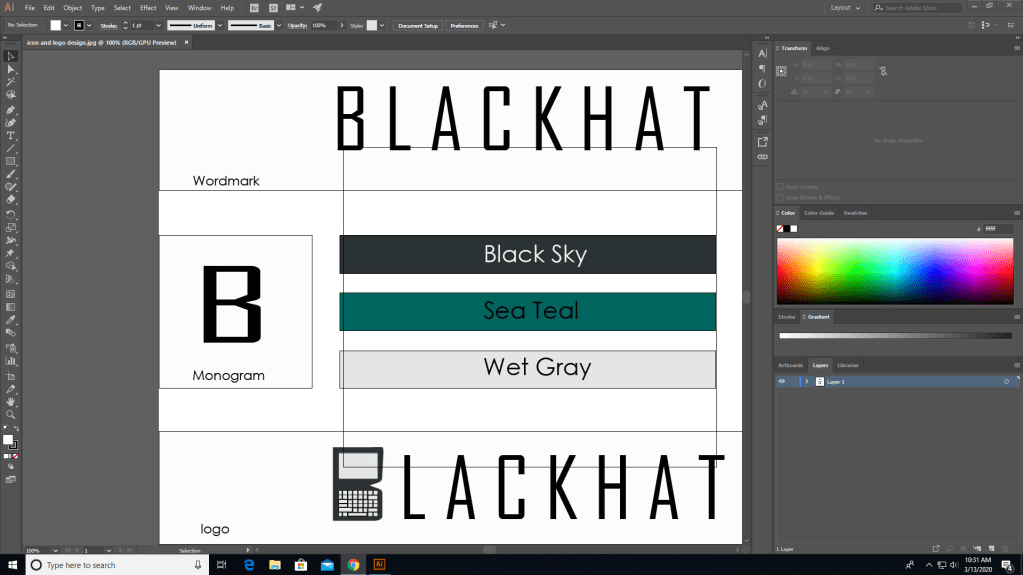
It works similarly in other programs such as illustrator as well but the placements are somewhat different.
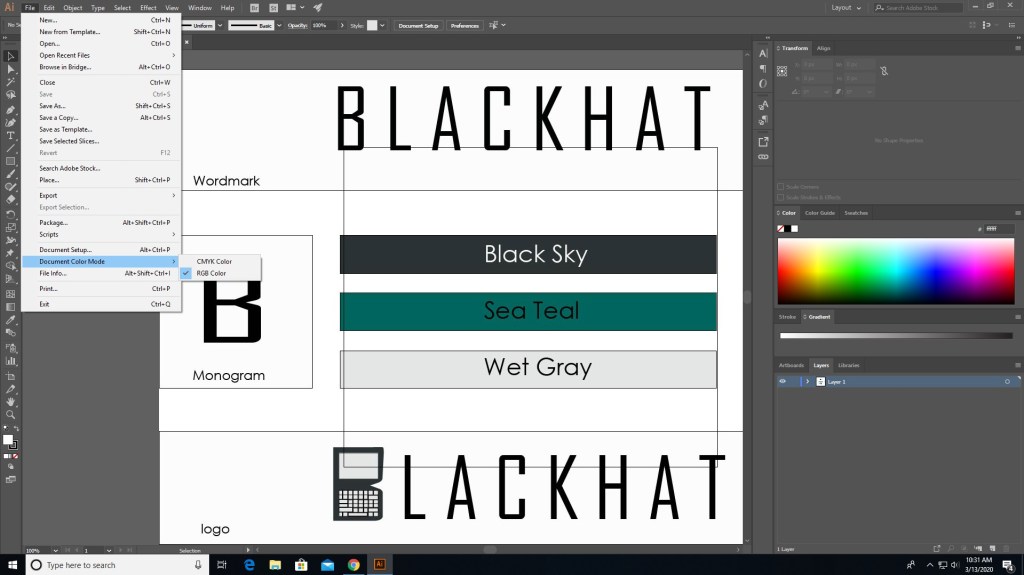
In illustrator you need to go to file for this one.
In file find “document color mode” and choose CMYK instead.
And now it should say CMYK instead of RGB.
There are different programs that does this differently but the ways that they do this isn’t hard. Just go to file (mostly) and find the settings that convert to CMYK, you can even do it right before you print. Also if you see some type of warning telling you that the color isn’t supported for CMYK then click on the warning and it should set it to a similar but more well supported color pallet.
That’s basically it, it’s that simple. Now get out there and print something nice.
When it comes to businesses and idea pitching what comes to the rescue would be mood boards. These are simply collages of certain images, text samples, and objects in a composition. They can be random, but this is business, so it must be topical or you’ll just be spewing nonsense. The best way to make a mood board is to first know what it is you’re doing; that’s a given, and since you know what you’re doing you need to know this thing called: grouping. Grouping is putting items that go together,… together. Even if your mood board has a purpose without organization by grouping subjects together it will still look like nonsense. So group relevant topics together and it will look presentable.
Programs/Tools
So how do you make a mood board? Well you and literally build a mood board on the wall or on the floor; it will look terrible, but you could still make one like that if you choose. Some good tools to make some would be:
Powerpoint
Keynote (Apple’s powerpoint)
Google slides (googles free powerpoint)
InDesign (oldschool methods)
Pintrest (oldschool methods)
Personally I mostly use powerpoint, because it can organize my points using slides (also I use windows so I don’t use keynote). Google slides is just like powerpoint but it’s free and you don’t have to worry about saving documents because it’s saved in a cloud. And I don’t use pintrest or InDesign.
So remember this. In order to make a mood board, you need to get ideas together on a “board” but the best mood board is one that’s well organized. And remember you can use the programs I’ve mentioned but you don’t have to use them, you can literally do it on a wall (but I would advise not really doing it that way).
As a multimedia designer your job consists of generating content that is visually stimulating to consumers and convey a clear message. Depending on the field you’re in you might need to learn java script, XML, HTML, or other forms of software for your work. Depending on the tools you’re using you need to stay up to date with them, which requires additional training, and must stay aware of any changes in consumer trends/tastes.
Jobs include but not limited to…
Digital camera operator: basically the one who uses the cameras (no brainer)
sound engineering technician: someone who produces audio recordings
Multimedia artist: creates visual and special effects for video games, and movies, and other forms of media.
Game designer: basically a multimedia artist who designs games
Video/audio editor: basically someone who edits video/audios
Education for this mostly asks for a bachelors degree in graphic design and fine arts. However you can still get certain jobs with a nice portfolio from taking a post-secondary course. It is required to study either computer animation, film studies, interactive media, journalism, television studies, and video production.
Copyright
The fun part, the stuff every youtuber has to tiptoe around or “DEMONETIZATION”.
Copyright can work both for us and against us if not used properly.
So let’s start with what isn’t protected by copyright laws.
Ideas, procedures, methods, systems, processes, and discoveries.
Titles, names, short phrases, slogans (hence why you can reference these things and not get in trouble).
Typeface, fonts, lettering blank forms.
Familiar symbols and designs (like that yin yang symbol, I made it because it’s a religious symbol so I’m allowed to).
Works that are not fixed in a tangible form (such as choreographic work that hasn’t been noted or recorded or improvisational speech that hasn’t been written down).
Mostly anything too general.
To learn more you can check works not protected by copyright (circular 33)
Here’s what can be copyrighted.
literary, musical, and theatrical works (including accompanying words)
motion pictures/audiovisual works
Architectural works (like buildings)
Sound recordings which are the results of a fixation of a series of musical, spoken or any other sound.
Mostly anything specific.
You can use copyrighted material only if any of these things are involved.
Fair use
quote
permission
To use copyrighted material for some form of profit you need permission from the original maker.
Quoting is using only some of the story.
Now fair use is the big thing people love to throw around, so let’s get into that. Fair use exempts certain restrictions on copyrighted material to recover the benefits of free speech. Fair use is only a gray area though and it must fall under the criteria of the four categories.
Purpose and character of the use, whether it’s for commercial nature, or nonprofit purposes.
It’s nature
The effect of the use upon the potential market for or the value of the copyrighted material.
The amount and substantiality of the portion used in regulation of the copyrighted work.
Fair use is only for parody, commentary, or criticism.
Stock photos and videos are unlicensed media that are free to use, but it is still best to be polite and give credit to the original creators. For more information you can check these sites: https://www.whoishostingthis.com/resources/copyright-guide/
When it comes to taking pictures there’s a right and a wrong time and place.
Right places are public areas like parks or stores. Wrong places are privately owned property.
You are allowed to take a picture of a person if you ask, and can sell it to a newspaper or publication, but they didn’t agree to promoting anything so you would be violating that persons use of likeness rights.
So you want to take pictures? What kind? That is the million dollar question. When it comes to photography, there are certain variables to consider when doing any photo. Which are…
When it comes to photography there are many different cameras at your disposal. DSLR (digital single lens reflex) cameras, point-and-shoot cameras, camcorders, and… cell phones.
DSLR cameras are the ones that are mostly used in the professional world. These cameras exist in a wide variety with inter-changeable lenses for different shots. Inside the body is a mirror that reflects light coming in from lens up into an optical viewfinder, by way of prisms (for higher end models), or a series of mirrors (in lower end models). Which is how you can see what you’re shooting through the lens. When you press the shutter button the mirror flips out the way and incoming light shoots through to the image sensor. The shots are done in real-time, so unlike mirror-less cameras, which are the point-and-shoot type, there is no lag because the camera is designed not to have a sensor transfer data elsewhere on the camera. However because of this you wont be able to preview your image settings through the optical viewfinder like in mirrorless cameras.
What else these cameras have that others don’t is…
Can take in more light for those dark areas.
Faster auto-focusing technology.
And interchangeable lenses
Speaking of interchangeable lenses, these cameras also use other accessories like…
tripods, for stability
a strap
SD cards, for memory storage
filters for different areas
blowers/rags to remove dust
Mirrorless cameras do the same thing as DSLRs (which is take pictures). However they are very different in design. Both types can show the scenes through camera lenses as you compose the picture, but the mirrorless cameras use the live view capture by the sensor to create an electronic viewfinder image. The electronic viewfinder is sharper and more responsive than the optical viewfinder and can offer different customization options that you can’t get in an optical viewfinder. These vary in between cameras but include, the ability to show advanced exposure aids like histogram and waveform monitor right in the viewfinder. Mirrorless cameras have improved auto focusing and can balance out more features like eye detection, but DSLR still lead with its real time eye detection tracking.
Although DSLR cameras still surpass mirrorless ones with battery life in the near future they will improve them overtime. But until then DSLR wins that round.
Camcorders, basically combines video cameras and video cassette recorders. The earliest camcorders were recording analog signals and were tape-based, and in 2006 it was replaced with digital recording with SD cards and internal flash memory, and micro DVD. they have a built-in microphone and thus can take crisper audio.
Smart phones…
Basically for those who aren’t serious about photography, just saying.
The best camera phones are the google-pixel-4’s, Huawei P30 pro, and the Samsung galaxy S10 pro. The google pixel has a phase detection auto-focus, and dual-pixel phase detection auto-focus, have 64/128 GB of storage. While phones have settings and filters to give you the feeling of pro cameras, the best that they’re used for is… social media.
The exposure triangle is basically the foundation of a photo.
ISO
Aperture
Shutter speed
Also known as…
How much light exposure you need for the area you’re in?
low ISO, way under exposed
High ISO, way over exposed
Good enough
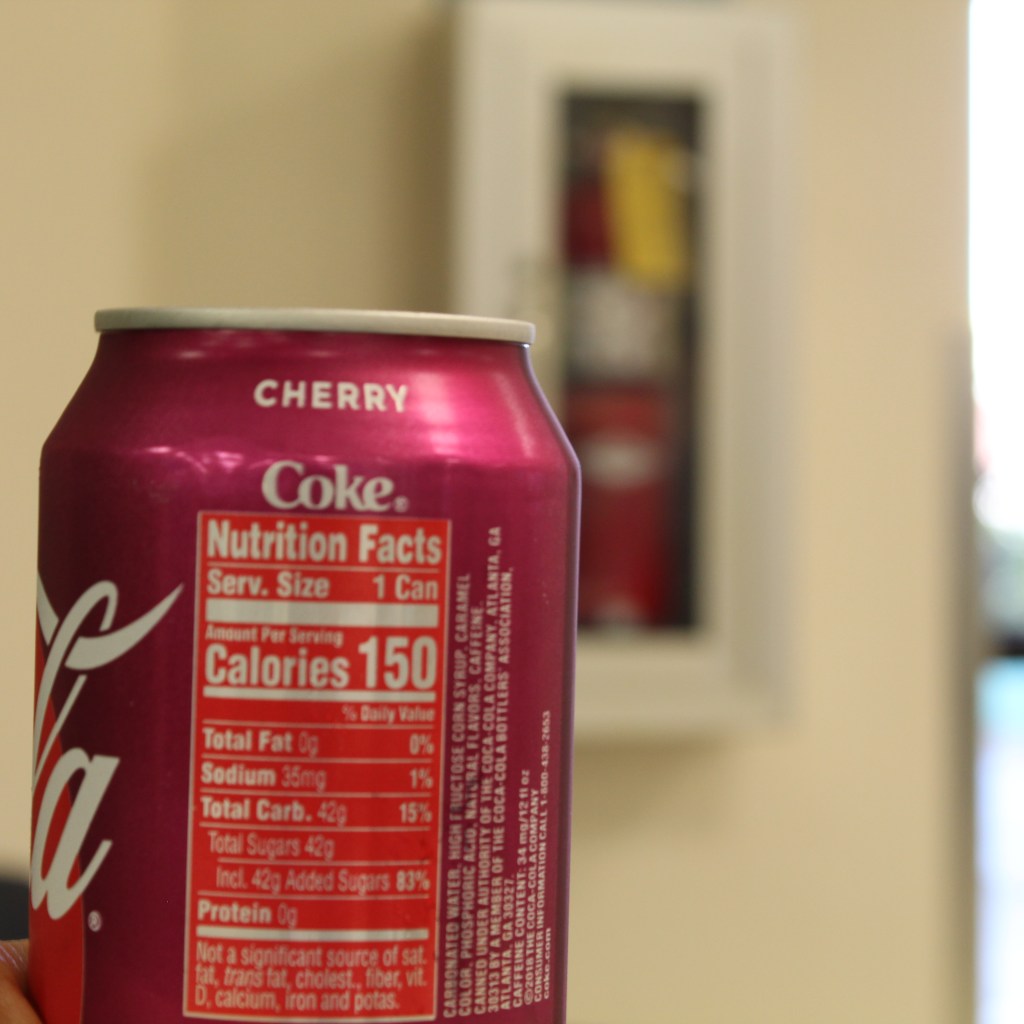
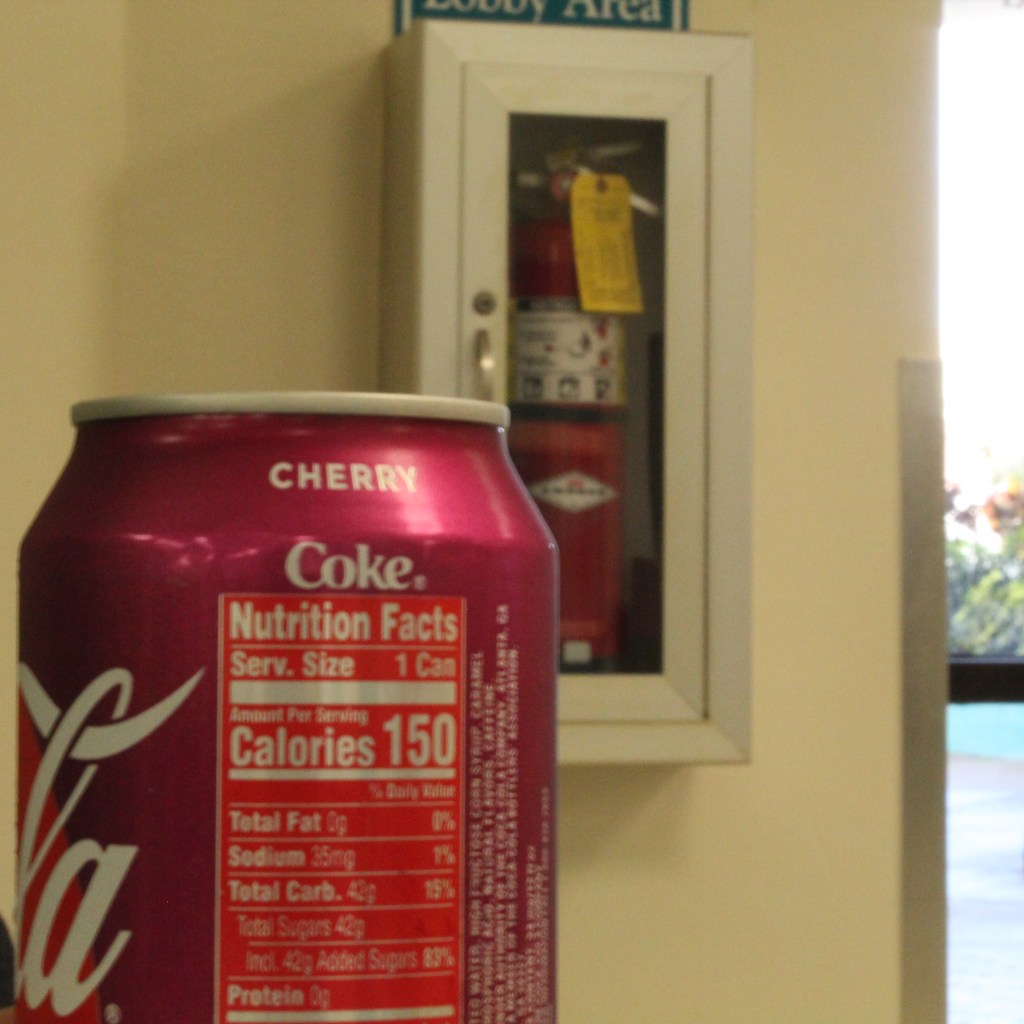
how blurry the background is
Can on focus but the extinguisher isn’t.Extinguisher is more visible
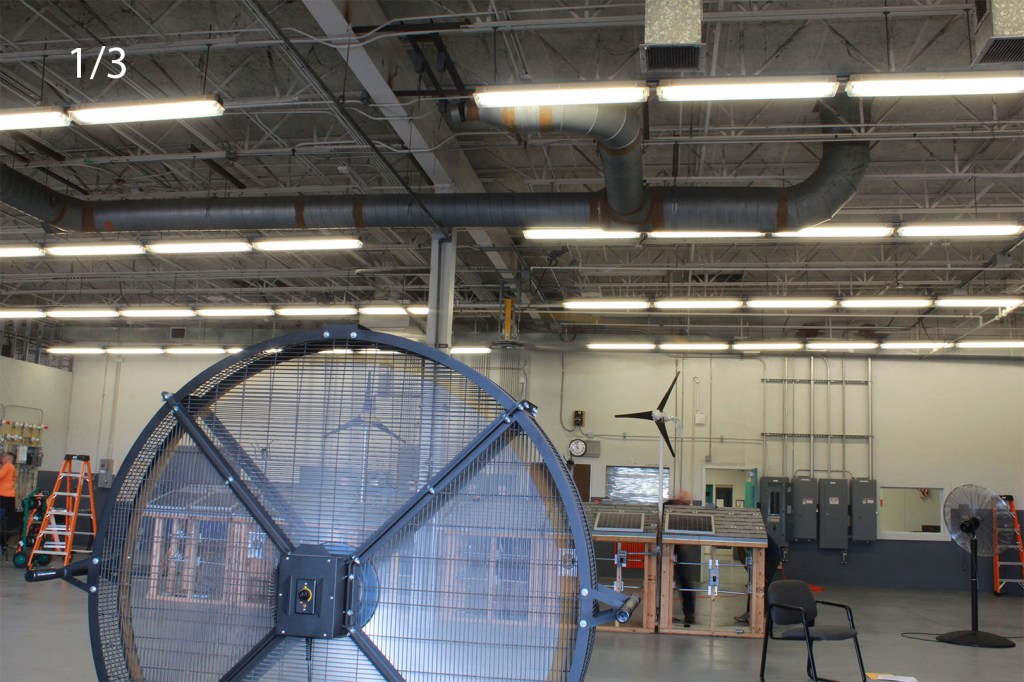
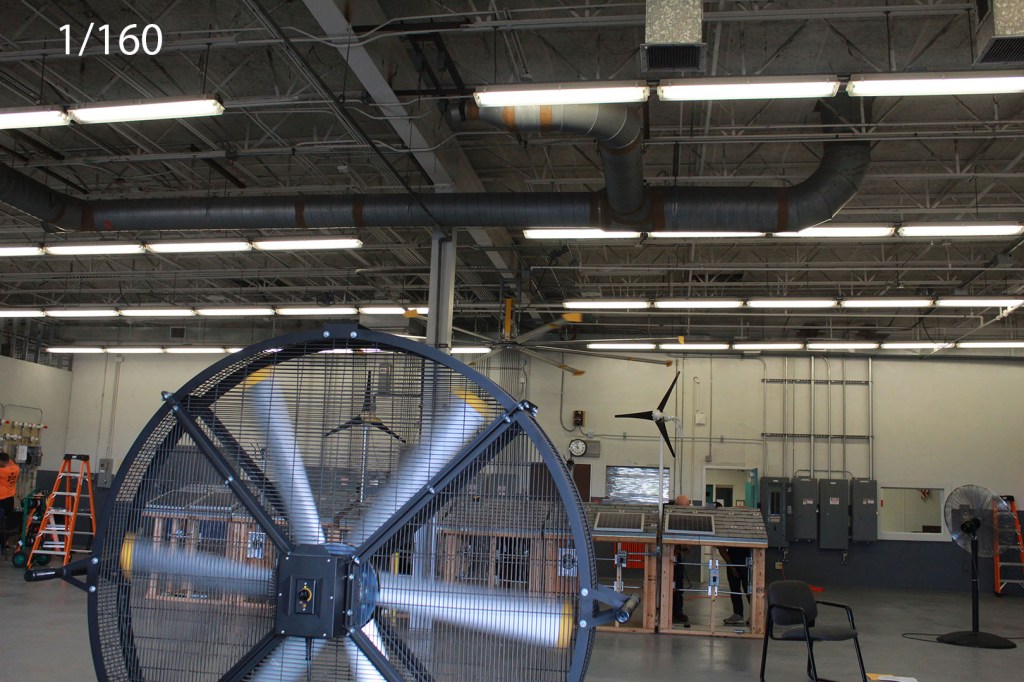
To ghostly moving objects
Moving fan
To a not so moving fan
While there is a wright and a wrong way of doing these things these different settings can do many other things. Just play with the different settings to get what you want.
When you want to edit videos, the first software that you probably think of would most likely be adobe premiere or Sony Vegas (if people still use that) or some other software that you might have to pay for. Sure the “good” ones cost money but if you’re just a beginner or just wanna casually make vids then there are free software out there for you to use. But which one?
A web based editor
You can probably search up free video editing software and get a bunch of nice results, but what if these complicated programs take a huge toll on your PC’s operating system since you have to install them? Well don’t worry about that because we got VEED.io. This is a web based editor that you can use to create and edit videos.
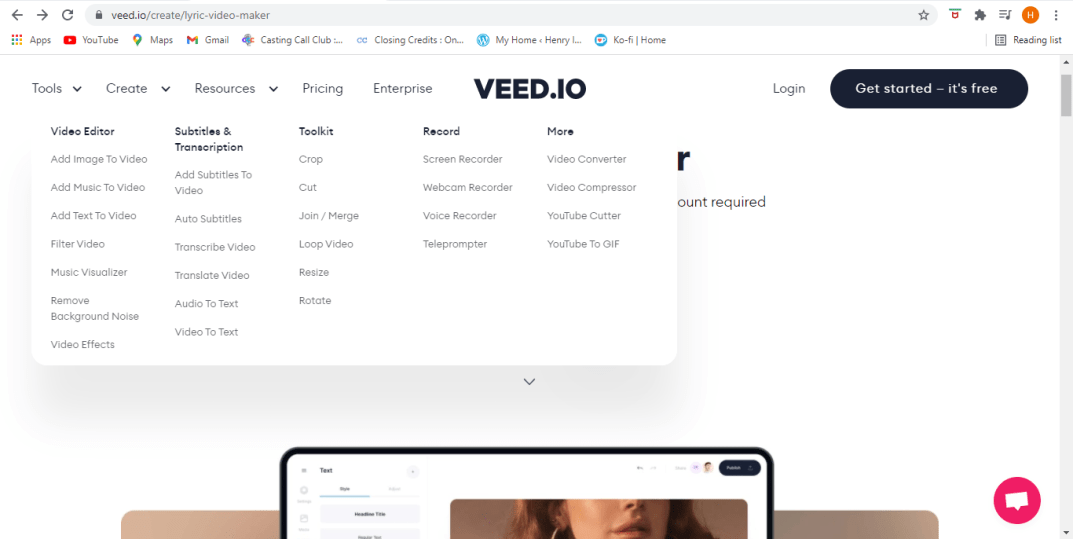
Tools
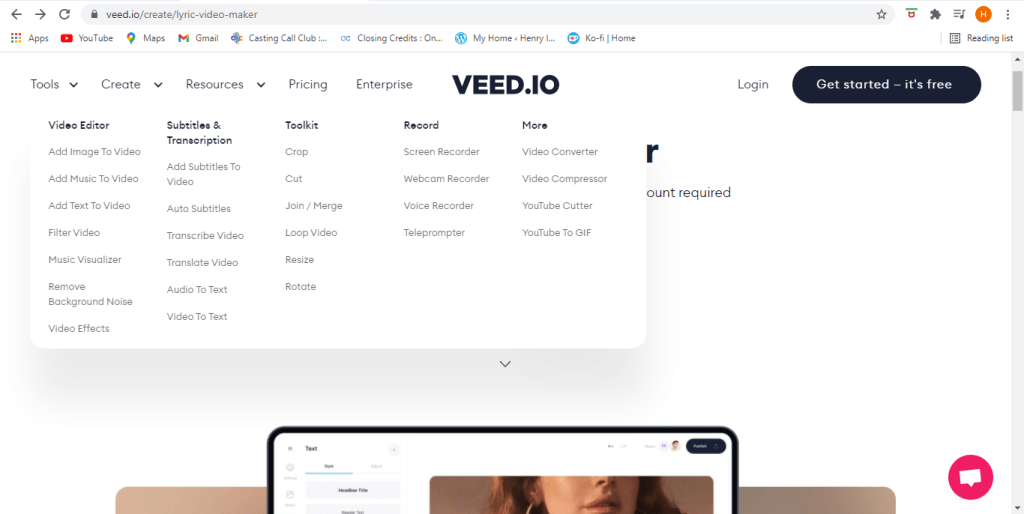
This site can offer a variety of tools that can help you get started in editing. From cropping to adding subtitles to filters to even translation you can put whatever you want in it.
Editing
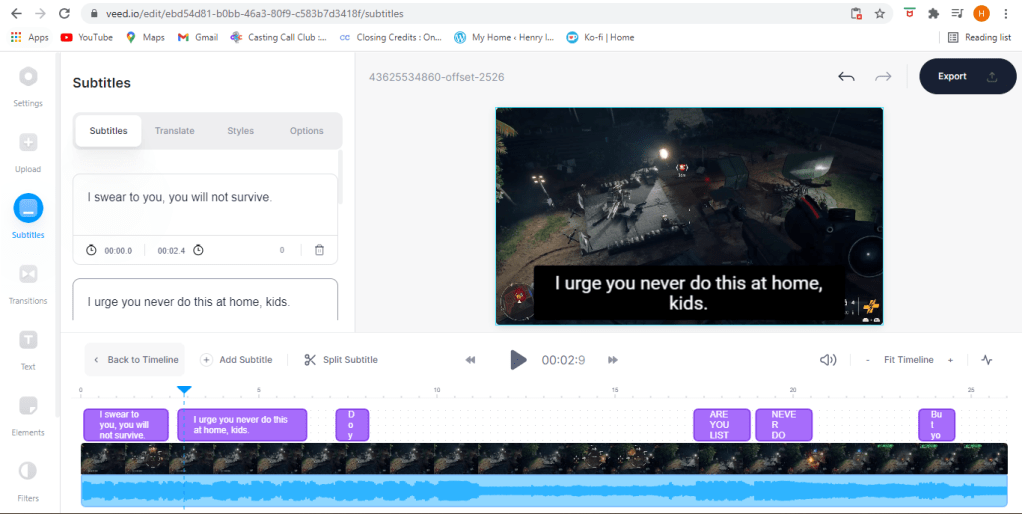
Subtitles
When you add subtitles you might say somethings that it might not entirely understand. Which is why you get the ability to edit them yourself. Now you can articulate spamming your keyboard with what’s going on (har).
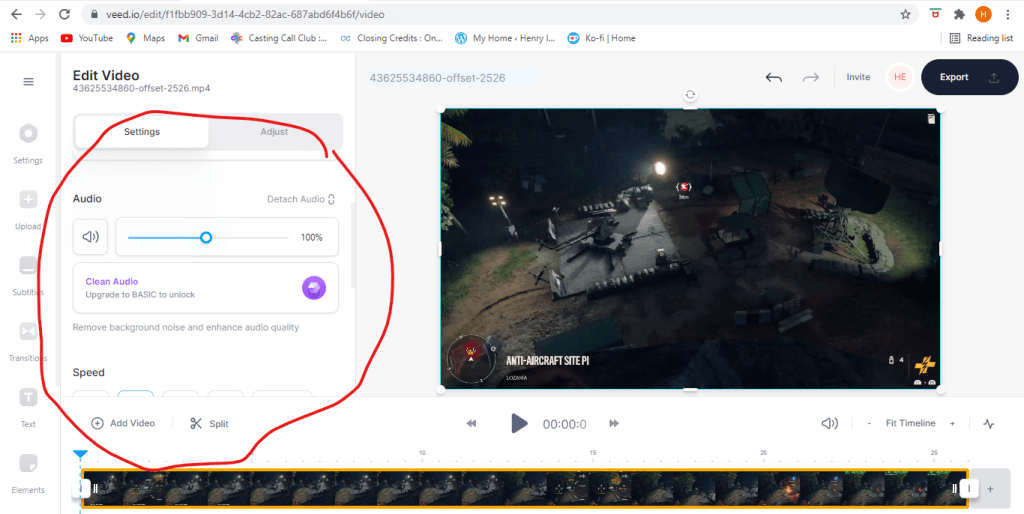
Removing Audio
Muting
In case you want to remove audio from your video, you can do that. You can mute your audio completely, replace the audio, clean it up (if you have the basic plan), and a bunch o’ other things. To learn more you can check out this link here.
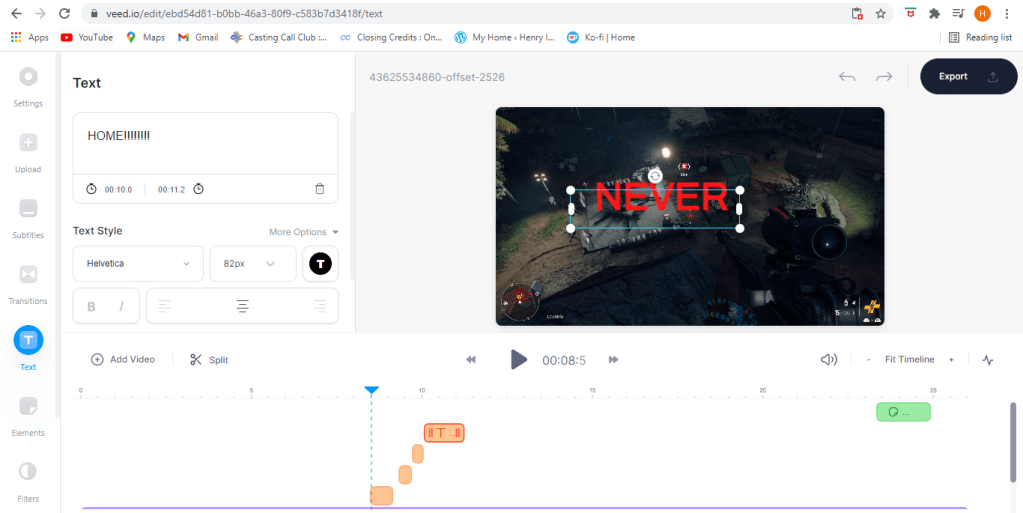
Text
If you just want to add text then just add text.
Posting
Post where ever
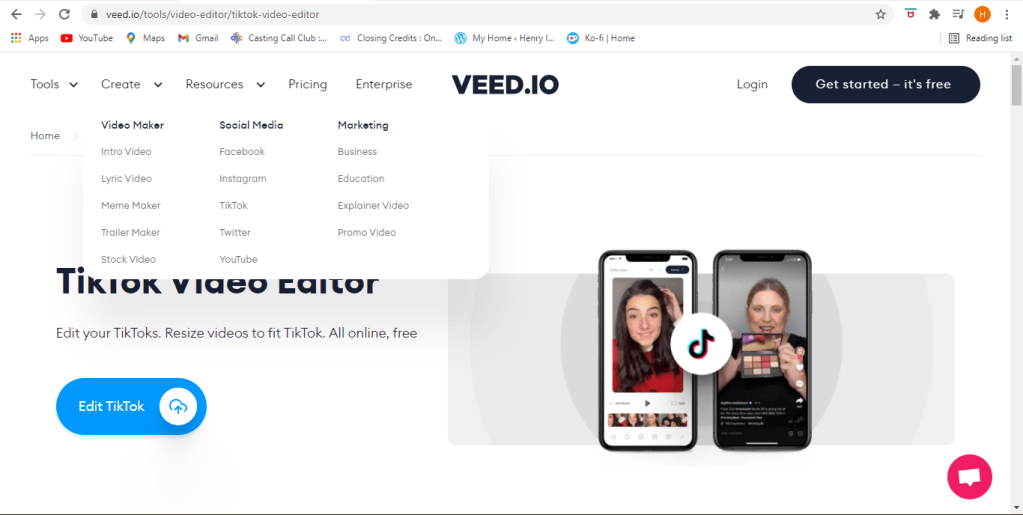
With this site you can post your dance video to Tik Tok or upload your gameplay footage to Youtube, Twitter, Facebook, or whatever other site that gets you clout.
Membership
Of course there’s alot more you can do if you sign up. Of course you can create a free account and do anything and save your videos, and if you pay for a membership but you can always simply try it first and get one later so should you choose.
Lets get started
Well what are you still doing here? You saw the footage, I told you how it works, so lets get to makin’ videos.
I’m going to talk about the things I’ve learned about in the past, and how it can shape the future. When I started learning how to use the software I had bare basic knowledge on how these software’s work, but now I feel like I now know how these programs are supposed to work. However that doesn’t mean that I’m an expert on all of them nor do I like them all. In fact some of these programs I tend not to use. Here’s some of the adobe programs I’ve used before.
Dreamweaver: For this program you need to know how to code HTML, CSS, or Java Script to create webpages. In code the HTML is the skeleton, the entire body, without the HTML there is no website. Why I don’t really like this is because for some reason when I save web pages and close the program I can’t open it back up because for some reason the HTML portion will not save. Everything else will save but the website itself. I looked google for why it does that but I couldn’t fix it for some reason. But of course I still managed to find a way to save it… until I lost it again (DANG).
Animate: Animate is a good program for animations and creating web banners, but the thing about me is I don’t have a drawing tablet so drawing is really hard for me on this program.
Illustrator: My teacher felt the same way about this when he first started using it, and now he can’t stop using it. Illustrator is a vector based graphic program that works to draw images. When I first started using it I wasn’t good at drawing with the pen tool but with time I might get there.
Premiere: Used to edit videos. Adobe After effects can do this too and a lot more, but this program I was actually able to export it and upload to youtube.
Photoshop: Of course this will be my most used program out of all the programs. This program is used to edit photos and even videos (to an extent). I use it even in my spare time when I just feel like making nice things.
The journeys end?
Is this the end of my learning journey? Of course not. There’s always room for more improvement, more development so long as you exist on this planet. I took an acting course a year ago and I said this during that class as well. Your character will keep developing and evolving.
These are NOT the top ten animation mistakes in film, but the most common mistakes in animation in general.
Animated actions with anticipation and aftermath. From what I’ve seen, people are more concerned with this preconceived mindset that their projects are supposed to be like “this”. Always remember that there is no such thing as perfection, make it as good as it can get but understand that it will never be perfect. Or else you’ll just set an unrealistic expectation for yourself.
References. It’s good to have references, but don’t illustrate them. They are there for inspiration not for translating in the actual project.
Keep it simple. Don’t make it too complex. If you make a mistake and you need to go back and fix it it’s easier to fix simpler styles than more complex ones. Of course your designs should always be nice to look at, but don’t give too much than you need to.
According to animationmentor.com There are other mistakes which include 3D animation. Such as…
Not following a syllabus. Follow a syllabus, it’s the formula to how an animated media should flow.
Feedback. YOU NEED IT! Or else you wont fully understand if the animation is going in the right direction. This holds true for every project than just animation.
Don’t underestimate the project. Always note that a project can take longer than you expect. I make this mistake myself, so I know how this can affect creators.
So that’s animation mistakes and what you need to do about them. Now make no mistake there are more mistakes out there that pop up out of nowhere that no one sees coming so always stay on it, and remember this important tip: Ctrl-Z and Ctrl-S. Now get out there and make a cartoon.
The type of job I would want is something in the entertainment industry. To be honest I’m working toward voice acting, but in the meantime while I work on not sounding like a stuffy teen we’ll talk about the job similar to that, audio designing. There’s a senior sound designer job for PUBG (player unknown battle grounds) that would be nice right now, mainly because I like shooter games, and I want to try my hand in game designing at some point.
The Job
This job consists of working closely with teams, work with the Unreal Engine 4, and edit, mix, and master audio materials. To be qualified for this job you need to fill in a certain criteria. You must be experienced in Unreal Engine 4 and scripting, masterful in pro tools, must have a masterful ear for audio, and of course have 5+ years experience in AAA game audio design. This job pays $14K – $242K a year. This isn’t exactly freelance, it’s a temporary position.
And of course this isn’t the only job that I’d like to get, I would like to work with other companies when I get off the ground in voice acting. That’s why the program that I like to use when it comes to anything audio is Adobe audition. I used it a few times to mix audio together that I get from sites like freesound.org to make background sounds, sort of like the ones you’d hear in games.
But until then I’ll need to keep working on my skills and get better equipment for recording for the job that I hope to get. My current equipment is good enough now but there’s always room for improvement.
We’ve talked about the jobs you’ll be getting in the past but we haven’t yet talked about the process of getting the jobs, or what you need to do in order to prepare.
It’s always good to have a great resume when going for an interview in order to show where you’ve been and what you’ve done. There’s a few ways to build your resumes, there are a few resume builders that can help you build your resume. It can contain what you’ve done in the past, which can include jobs within the media industry or out of it, which is what you interviewer can use to determine your work ethic.
Interviews
On the topic of interviews here’s a few questions you might be asked and some general advice.
What would you do if there’s down time? The best answer would be: I like to take the initiative and look for other things to work on. When it comes to most jobs there’s always something to do. Even when there’s nothing there is still something.
Why do you want to work here vs. (Insert other company here)? Just be honest, tell them what you like about this place than the other one.
What are you expecting out of this position? Just tell them what you can do and what you want to bring to the table.
They’ll also ask you technical questions like: How do this? or How do you format that? Just answer them correctly. I’m sure you know what you need to do.
How much experience have you had in “this field”? Preferably they would want greater than the amount they require, but if you have almost as much as they need then there’s a slim chance they might accept you.
Would traveling suit you? Unless you are in some way obligated to stay put, say yes.
Are you still interested in this position? You we’re willing to show up, and not cancel so yes.
Are you sure you want to work in this industry? Yes.
Why did you leave your last job? Just tell them that you wanted to change your career, or that you wanted to make better use of your skills. Whatever you do don’t put on a show about how much you hated working at retail or anything, it’s unprofessional.
Did Epstine kill himself? Okay that’s not a real question but you might get those funny joke type questions like: “coke or pepsi?”, those are usually asked post interview because these guys are cool.
So these are the things you need to know about Multimedia interviews. A thing to note is that these questions aren’t just for one type of job, other jobs might actually have the same questions and others would have very different ones. Now get out there and get to work.
If you need footage for your videos and you are low on time or funds, you can use these things called stock footage. Stocks are free media that you can use for any project you are working on from videos to images. However a thing to note is that even though it’s free that doesn’t mean you can just do anything you want with it. What everyone should know about anything involving creative media is something called a creative commons licence.
What is a Creative Commons license?
I’ve talked about fair use in the past, but now we’re going to talk about it for when it comes to stock media. According to creativecommons.org The “CC” license forges a balance inside the traditional “all rights reserved” that the copyright laws create, but of course you should give credit to the original creators and provide details of any changes made.
Stock media sites
Lets talk about the sites you can find them on.
Pexels.com is a site which can provide free images and footage. If you are familiar with the site unsplash.com, then it should seem familiar.
Pixbay.com is another site that offers free footage and images, and it also offers free vectors.
Mixit.co is yet another site you can use for stock footage and images.
Dareful.com is another site that can provide “some” free 4K resolution stocks, but not all are free. You must also provide credit to the creator and a link to the license and also indicate if any changes were made to the creators footage.
Videvo.net is one more site we will talk about. This site offers some free footage and it can also provide details on the kind of licenses that come with each footage.
Once again some stocks are free, but other footage must be either paid for or require a subscription. Sometimes you can even donate to some of these creators to show appreciation.
That’s most of what you should know for when it comes to using stock footage and how it’s really supposed to be used. It’s best to use your own footage of course, but if you need it these are few of the best places to get some. Now once again get out there and get to creating.
Let’s talk about the process of editing videos. Did you know that there are so many ways to edit videos? There’s linear and non-linear editing, and there’s offline and real-time editing.
Linear VS Non-linear
Linear editing is the process of editing in timeline order from start to finish. But with linear editing you have to do it from the start to the end, meaning you can’t backtrack. Fortunately that is where non-linear editing comes in. Non-Linear is editing that isn’t in chronological order, so you can backtrack and fix or add something that was way back there. Linear and non-linear editing can both be utilized when it comes to editing thanks to modern day technology, so you don’t have to risk doing one or the other.
Offline vs Real-time
Another type of editing is offline and real-time editing. Offline editing is when you take a copy of the raw footage and edit that one copy only. According to premiumbeat.com the copied footage is transcoded down to a more compressed and lower resolution format. The video will use this as proxy footage through the rough, fine and final cut. So the best time to use offline editing is when you need to lighten the work load when editing. Real-time editing is when you edit videos on the the timeline without isolating footage. In fact real-time editing uses cloud based programs to clip and edit across multiple platforms.
Words to know
Here’s a few video editing words to know.
Batch processing: In computer terms it is an efficient way of processing multiple transactions at the same time.
Project trimming: Basically video editing where you cut parts of footage either by slicing in between, or cutting out a section to isolate it for other uses.
This is how the process of video editing works. The newer programs like adobe premiere can do most of these anyway so you wouldn’t have to do exhaustive work to handle the editing processes. Now get out there and make your movies.
Let’s talk more about the multimedia teams, mainly the jobs.
This one remote job as a multimedia programmer requires you to reprogram documents from flash to HTML. For this job you need to be proficient with HTML, CSS, and Javascript; have +2 years of programming experience, and have the ability to learn new languages.
There’s another job as a motion graphics designer in Weston, FL for Bang Energy. If you are into energy drinks and high performance drinks, then you’ll like this one. This job is entails you to create animated and video artwork for social media, it includes movie clips, some photoshop, illustrator and premier pro. Your responsible for working with art directors, designers and developers, generate new ideas, be organized and follow deadlines. This job requires you to have a bachelors degree in motion design or any design field, you need to have +2 years of experience, You must be able to multitask in a face paced environment, be a team player and have high attention to detail. Their benefits include health, dental and vision insurance and they offer tuition reimbursement.
Here’s another remote job as an Instructional designer for Tresta, a communication service in South Florida to help businesses move away from landlines. This job wants you to develop employee learning programs in alignment with organizational goals and training needed. You must utilize resources to ensure course content and training curriculum contains accurate information, understand various learning principles and employ a variety of multimedia to ensure maximum retention and comprehension, conduct assessments need to analyze and identify new developmental needs and recommend training methods accordingly. For this job you are required to have a bachelors degree along with +2 years of experience. The perks of this job is that you get:
To work from home
Competitive pay
401K
Wellness initiatives
Health, dental, and vision coverage
Communications Coordinator at Broward college. Under limited supervision this position assists in executing strategies developed by the communications and community relations department. For this job you will need at least a bachelors degree. Your daily essential functions include.
Writing speaking points and blogs.
Builds and fosters collaborative relationships with other departments.
Pitch stories for distribution/publication. Contributes photos and stories to websites and publications. Encourage media participation, promotes spokespersons and arrange media interviews.
And much more responsibilities.
And last one I’ll be talking about is a multimedia designer for Nations Benefits. Your task is to deliver compelling, clean, modern digital print creative that clearly communicates the brand and effectively engages the audiences. You must create visually appealing and technically accurate/appropriate designs while adhering to strict deadlines. You must have a minimum of three years of experience in multimedia design, including but not limited to, producing/shooting/editing photography and videos, you must be extremely proficient in adobe creative suite, and they also prefer you to have excellent customer service skills as well. The offer the same health benefits and paid time off like the other jobs.
So these are the jobs for multimedia designers. Now be a team player and make some movies.
When it comes to multimedia, (which involve movies or games) there are multimedia teams that do individual parts, there are many positions and team members that contribute to these projects.
Project manager: Oversees the project, conveys the information between the client and the team. Has to design and of course manage the project.
Video specialist: Has to shoot quality videos, transfer the footage to the computers, edit the footage using digital non-linear editing (NLE) system, and deliver the files to the CDs, or the web.
Multimedia writer: Write proposals and test screens, script voice-overs and actors narrations.
Audio Specialists: Locating and selecting suitable musical talent, scheduling recording sessions, digitizing and editing recorded material on the computer.
multimedia designer: Graphic designers, illustrators, animators, and image processing specialists to deal with the visuals, thereby making the project look aesthetically pleasing.
Multimedia producer: Put together a set of coordinated pages for the web, and co-coordinate the updates and changes.
Multimedia programmer: Integrates all the multimedia elements into a seamless project, using authoring systems or programming language. They write the programming language (codes) of multimedia elements, and control various peripheral devices and they manage timings, transitions, and record keeping.
Interface designer: Creates software devices that organizes content, allows the users to access or modify content, and build a user-friendly interface.
These team members hold the projects together and must provide the best experiences for the clients. Without one of them the project would not work efficiently. Now team up and make something amazing.
So apart from looking at how to draw or putting together eye-catching media, let’s discuss how to make good sounds.
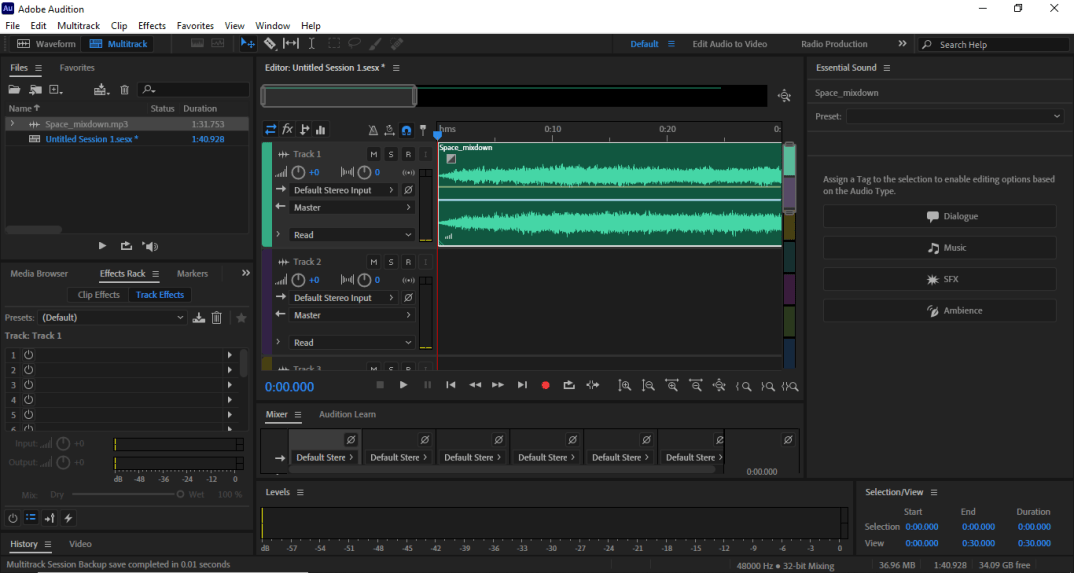
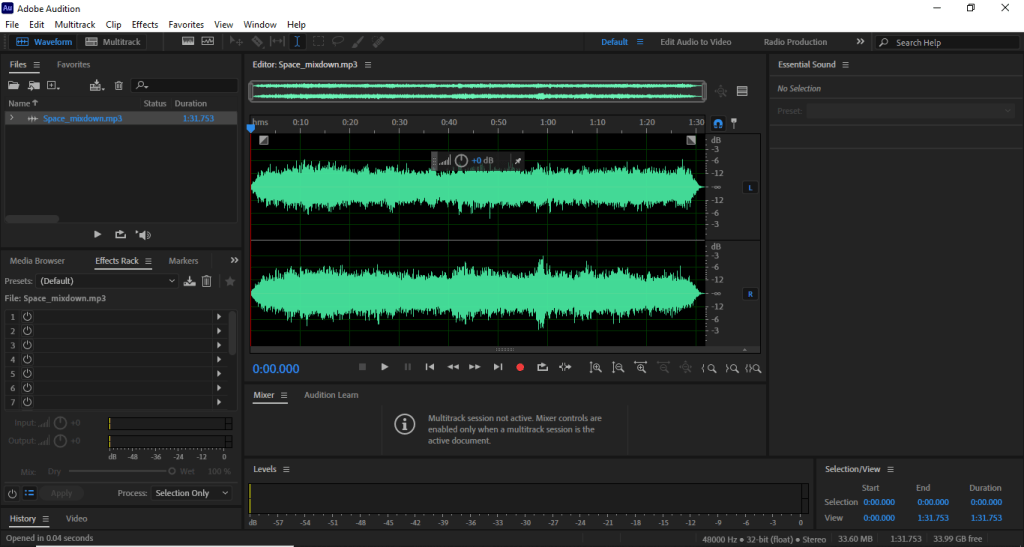
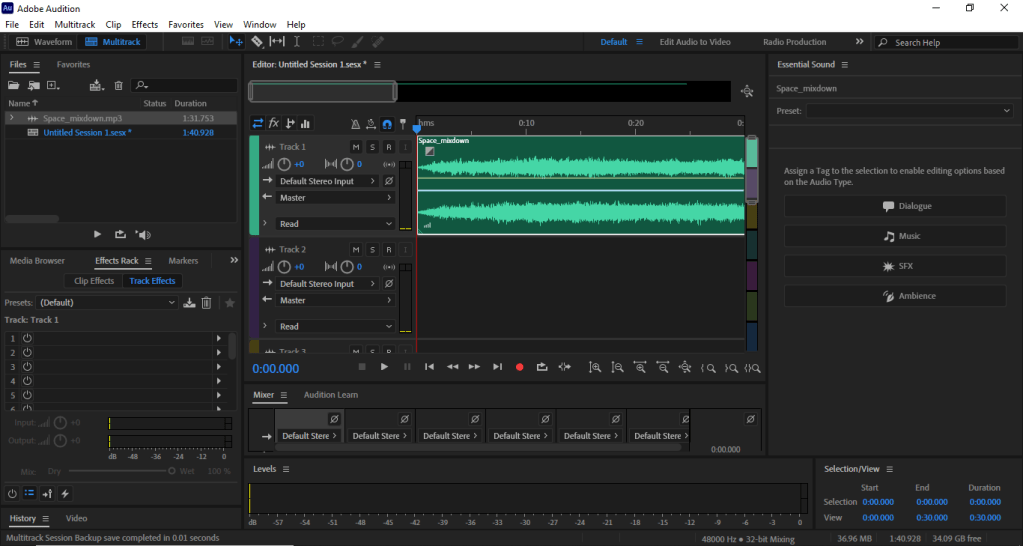
Like everything that comes to being creative there are no set of rules when it comes to making you own stuff (except make YOUR OWN stuff), so you can use any type of audio software to create clean sounds. Sound designers like Ben Burtt, Who was behind movies like star wars, WALL-E, and many other sci-fi based movies use Synthesizers and mixing programs to make the sound effects you hear. Sound designing can be used for not only movies, but also games, TV, and music (like Daft punk with the robotic voices). You can make some nice sounds using free programs like audacity to mix and edit .wave files, personally I use Adobe Audition.
The sound I made in audition
It requires a subscription to creative cloud, but it has more options that audacity doesn’t. Which was how I managed to make these.
Jobs
Of course we need to talk about the jobs and what they need from you.
Some jobs I found on Indeed (like: Sound Designer/ MixerEverpost – Los Angeles, CARemote) require you to be proficient in software like audition and are able to read scripts, and of course have some experience in sound editing and designing.
Another example is a job for a sound designer for Bungie, they need someone with effective communication skills but the tools they need are pro tools, Nuendo, and sound forge.
Sound designers can make up to $15 or $28 per hour, or $37,000 to $40,000 per year. Some contain benefits like 401K, health, paid time of, or dental.
So that’s a look at the art of audio design. It’s a little bit different from what I discussed previously, but it gets easier the more you do it. Now go make some game soundtracks.








 Henry Iglesia